NFW: Building an OPNsense-Class Firewall on Debian/Ubuntu
NFW is an open-source firewall solution that transforms Debian and Ubuntu servers into full-featured network security appliances, featuring a web-based dashboard, advanced firewall rules, DNS filtering, VPN, captive portal, and centralized configuration management.
NFW: Building an OPNsense-Class Firewall on Debian/Ubuntu
A technical deep-dive into the architecture, the config model, and the bugs that fresh installs expose.
Contents
- Why Another Firewall OS?
- Architecture
- The Config Model: Stage → Commit → Revision
- The Firewall Compiler
- Sandboxing: What configd Can and Cannot Touch
- DNS Blocklists: From URLs to NXDOMAIN
- Diagnostics & Operations
- Installation
- The Fresh-Install Sweep
- Roadmap
- Getting Involved
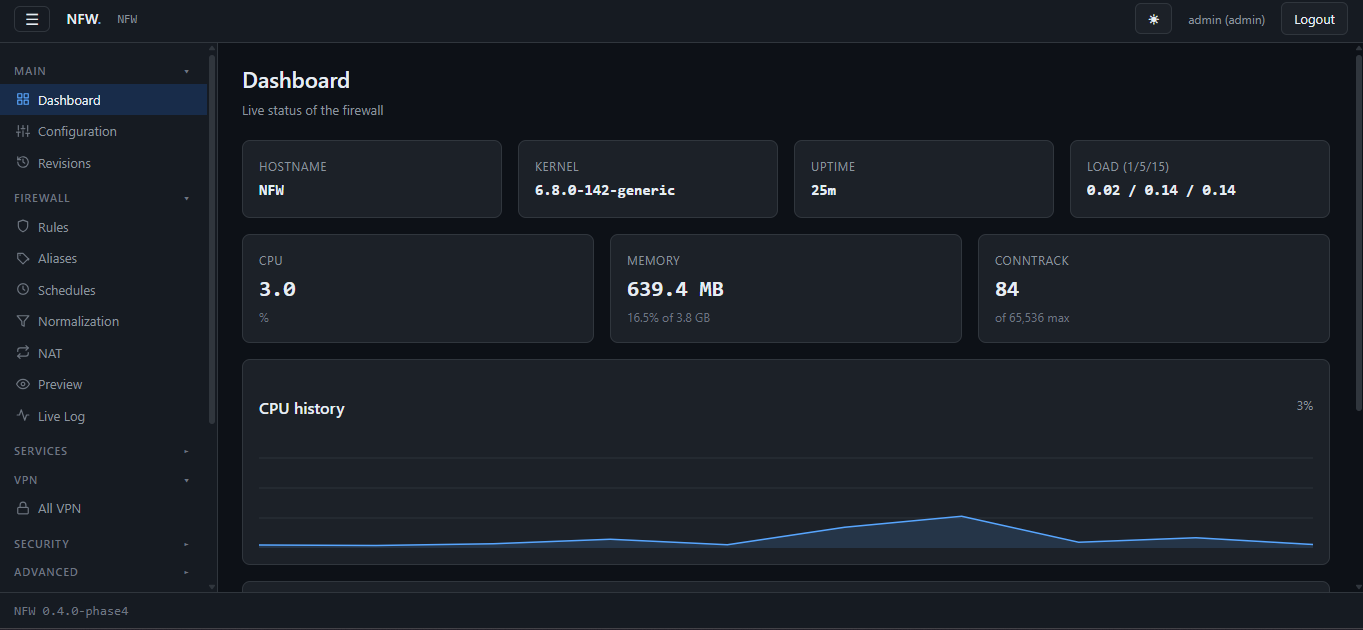
Note: if images don’t load, the repo is still private — flip it public in GitHub Settings → Danger Zone → Change visibility.
Why Another Firewall OS?
OPNsense and pfSense are excellent. But they assume you’ll flash a USB image onto dedicated hardware, and they run on FreeBSD — a system most homelab users don’t touch day-to-day.
NFW takes a different approach: install it on top of any Debian or
Ubuntu server. One script, ~90 seconds, and a mini PC with two NICs
becomes a full routing appliance. The whole thing lives in /opt/nfw.
No apt conflicts, no weird package pinning, no firmware flashing.
The target is the gap between “a Linux box with nftables and some
shell scripts” and “an actual product with a web GUI, live logs,
certificate management, and a config store you can roll back.”
Architecture
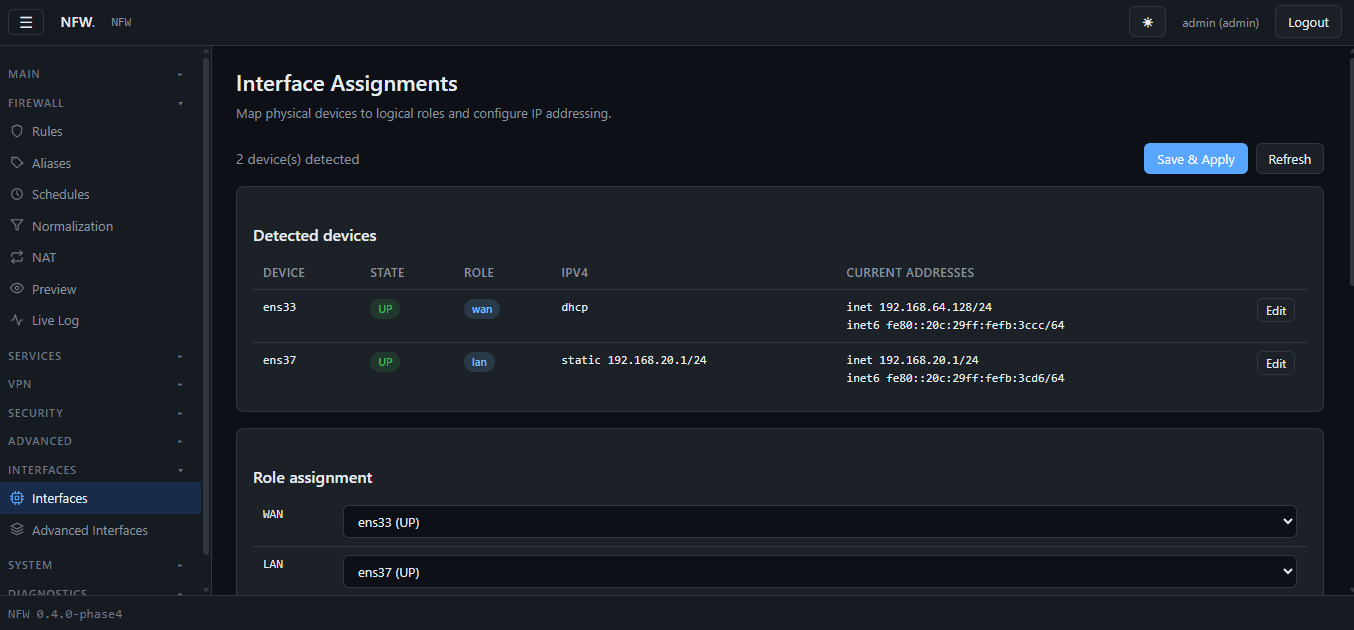
Three systemd services make up the runtime:
Unit User Purpose
———————– —————— ————————-
nfw-configd.service root (sandboxed) Privileged operations
nfw-api.service www-data:nfw FastAPI + Jinja2 web UI
nfw-portal.service www-data:nfw Captive portal
Plus a fleet of timers: RRD collector (every minute), alias cache refresh (hourly), config schedule refresh (hourly), CP bypass refresh (2 min), CP byte counters (30 s), CA autorenew (daily), GeoIP update (monthly), DNS blocklist refresh (daily).
The web UI never touches the system directly. Every action goes:
1
2
3
4
5
6
7
8
9
10
Browser  ─── HTTPS :8443 ───►  nfw-api (uvicorn)
                                    │
                                    ▼
                            /run/nfw/configd.sock
                                    │
                                    ▼
                          nfw-configd (root, sandboxed)
                                    │
                                    ▼
                nft · systemd-networkd · unbound · chrony · ...
Why a separate config daemon?
Two reasons:
-
Privilege separation. The web tier runs as an unprivileged user. If the API is compromised, the attacker can’t directly touch the kernel or write system files. They can only issue actions configd knows about.
-
Authorization at the socket layer. configd reads
SO_PEERCREDon every connection to identify the caller’s UID, then checks it against an action’s required ACL.firewall.applyrequiresadmin.system.inforequiresreadonly. The API never decides this; the daemon does.
The socket protocol is a length-prefixed JSON frame:
1
[4-byte big-endian length][JSON payload]
Request:
1
{"id": "abc", "action": "firewall.apply", "data": {}}
Response:
1
{"id": "abc", "ok": true, "result": {"applied": true, "bytes": 4210}}
Simple, debuggable, and testable from the shell:
1
2
3
4
5
6
7
8
9
python3 -c '
import socket, struct, json
s = socket.socket(socket.AF_UNIX)
s.connect("/run/nfw/configd.sock")
req = json.dumps({"action": "system.info", "data": {}}).encode()
s.sendall(struct.pack(">I", len(req)) + req)
n = struct.unpack(">I", s.recv(4))[0]
print(s.recv(n).decode())
'
The Config Model: Stage → Commit → Revision
Every other appliance-style firewall has a similar workflow: change a bunch of settings, then click “Apply” to make them real. NFW makes this explicit with a three-state model.
State
File Meaning
———————— ——————————————-
revisions/<rev>.json Full config snapshot, immutable
active.json Pointer to the currently-applied revision
staging.json Uncommitted changes (a draft)
staging.json.meta Who staged and when
Flow
1
2
3
4
5
6
7
8
9
10
11
12
13
14
15
16
17
18
19
20
21
22
    [user changes a setting in the GUI]
              │
              ▼
    PUT /api/services/dns  ───►  configd: stage(cfg)
                                       │
                                       ▼
                              staging.json written
                              active.json untouched
                                       │
              [amber banner appears in GUI]
                                       │
    [user clicks Configuration → Commit]
              │
              ▼
    POST /api/config/commit  ───►  configd: commit()
                                       │
                                       ▼
                              new revision written
                              active.json updated
                              staging discarded
                              firewall recompiled
                              hooks run
Why a revision, not a diff?
Every commit writes a full config snapshot — the entire JSON tree, not a patch. Storage cost is trivial (10–50 KB per revision) and it makes rollback trivial: load the old revision, re-run the firewalls hooks, done. No patch-application-order bugs, no three-way merges.
Phantom staging — the bug we missed for months
Here’s a subtle one. Every “Save” button in the GUI called
store.stage() unconditionally. So this sequence created a phantom
revision:
- Open any page
- Click Save (you changed nothing)
- Banner: “Uncommitted changes”
- Click Commit
- New revision, identical to the previous one
Fixed by making stage() a no-op when the incoming config hashes equal
to the active revision:
1
2
3
4
5
6
7
8
9
10
11
12
13
14
15
16
17
18
19
20
21
22
23
def _stage_locked(cfg, author):
    cfg = merge_defaults(cfg)
    validate(cfg)
    blob = json.dumps(cfg, sort_keys=True).encode("utf-8")
    digest = hashlib.sha256(blob).hexdigest()[:16]

    try:
        active = read()
        active_blob = json.dumps(active, sort_keys=True).encode("utf-8")
        if digest == hashlib.sha256(active_blob).hexdigest()[:16]:
            discard_staging()
            return digest
    except Exception:
        pass  # fall through to normal staging

    base_rev = _active_revision()
    _write_json(STAGING, cfg)
    _write_json(STAGING_META, {
        "author": author,
        "base_revision": base_rev,
        "staged_at": time.time(),
    })
    return digest
The Firewall Compiler
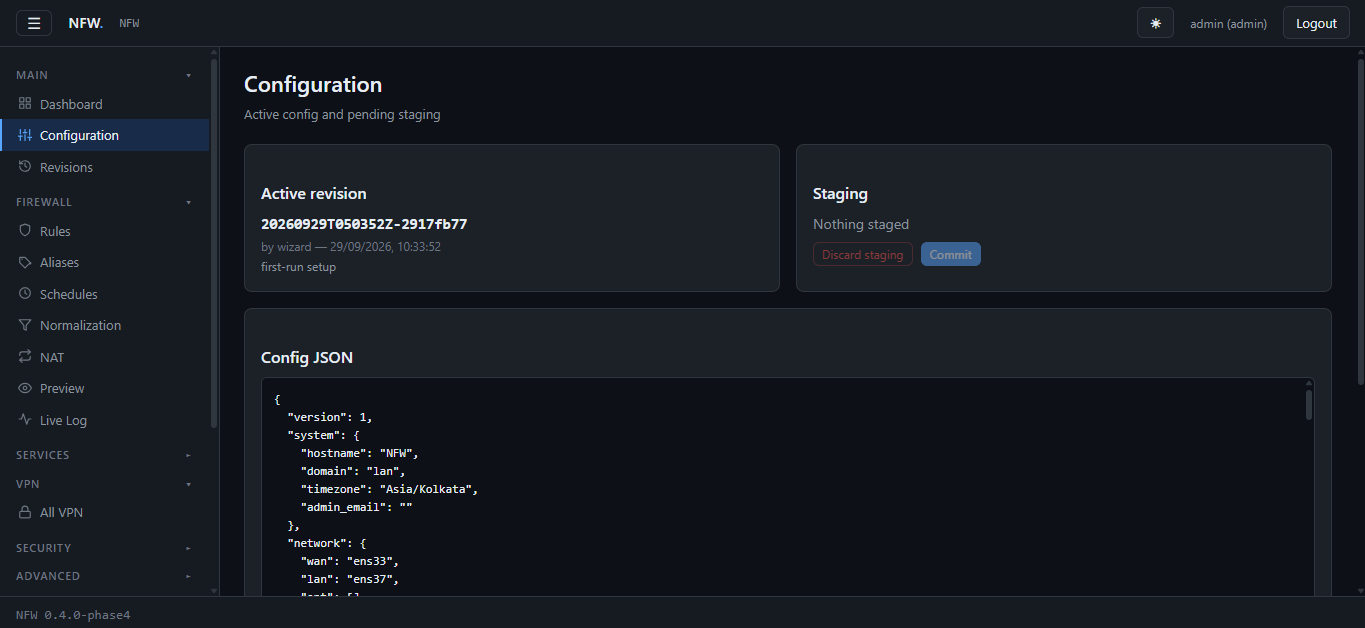
Config JSON → nftables ruleset. The compiler
(modules/firewall/compiler.py) walks the config and emits a single
table with six chains:
table inet nfw_filter {
    chain input {
        type filter hook input priority filter; policy drop;
        ct state established,related accept
        ct state invalid drop
        iifname "lo" accept
        # ... user rules, in order, first-match-wins ...
        limit rate 3/minute log prefix "NFW-DROP-INPUT: " level warn
    }

    chain forward {
        type filter hook forward priority filter; policy drop;
        ct state established,related accept
        ct state invalid drop
        ct status dnat accept
        # ... user rules ...
        limit rate 3/minute log prefix "NFW-DROP-FORWARD: " level warn
    }

    chain mangle_postrouting {
        type filter hook postrouting priority mangle; policy accept;
        tcp flags syn tcp option maxseg size set 1452
    }

    chain postrouting {
        type nat hook postrouting priority srcnat; policy accept;
        # ... SNAT / masquerade rules ...
    }

    chain prerouting {
        type nat hook prerouting priority dstnat; policy accept;
        # ... port forwards / DNAT ...
    }
}
Why mangle_postrouting for MSS clamp?
This was a bug we shipped for a long time. MSS clamping was emitted in
the forward chain — which only sees packets routed between
interfaces. The firewall’s own outbound connections (package updates,
ACME, NTP) went through output, and were never clamped.
The fix moves it to a dedicated postrouting chain at priority mangle
(before srcnat):
chain mangle_postrouting {
    type filter hook postrouting priority mangle; policy accept;
    tcp flags syn tcp option maxseg size set 1452
}
The postrouting hook sees both forwarded and locally-originated outbound packets. Verified with tcpdump on the WAN interface:
1
2
14:38:37.417216 IP 192.168.64.128.60094 > 1.1.1.1.443:
  Flags [S], options [mss 1452,sackOK,...]
Before: mss 1460. After: mss 1452. Matches OPNsense behavior.
Per-rule counters
Every user rule emits a comment marker so the counter reader can find it later:
1
lines.append(f'        counter comment "NFW-RULE-{r.id}"')
Then the counters module parses nft -j list table inet nfw_filter,
matches rules by comment (not by handle — handles are reassigned every
recompile), and reports packets + bytes.
The GUI dims rules with zero traffic so dead rules stand out.
Sandboxing: What configd Can and Cannot Touch
The config daemon runs with a restricted systemd sandbox:
1
2
3
4
5
ProtectSystem=full
ProtectHome=yes
PrivateTmp=yes
ProtectKernelModules=yes
ReadWritePaths=-/etc/nfw -/etc/nftables.conf -/etc/unbound -/var/lib/nfw/...
ProtectSystem=full makes /etc read-only by default. Every path
configd needs to write to must be explicitly allowlisted in
ReadWritePaths.
This is correct — it means a compromised configd can’t rewrite
/etc/passwd or /etc/sudoers. But it creates a class of bugs where an
operation succeeds on the developer’s box (running configd outside
systemd) and silently fails in production.
Three examples we hit
1. /etc/hosts write failed.
The wizard did open("/etc/hosts.tmp", "w") then os.replace(). The
temp file needed write access to /etc itself, which wasn’t in the
allowlist. Fix: a drop-in.
1
2
3
# systemd/nfw-configd.service.d/10-hosts-write.conf
[Service]
ReadWritePaths=-/etc/hosts
2. systemctl enable silently failed.
configd has a drop-in allowing writes to
/etc/systemd/system/<unit>.service.d/ — but not
multi-user.target.wants/. So systemctl enable unbound created
nothing. The daemon started now but wouldn’t survive reboot.
Fixed with:
1
2
3
4
# systemd/nfw-configd.service.d/30-systemd-enable.conf
[Service]
ReadWritePaths=-/etc/systemd/system/multi-user.target.wants
ReadWritePaths=-/etc/systemd/system/timers.target.wants
3. systemctl enable still failed — because of SysV.
Even with the .wants/ paths writable, enable still tried to run
systemd-sysv-install to sync /etc/rc*.d/. That path isn’t in the
allowlist.
The fix is an environment variable:
1
2
en = _run(["env", "SYSTEMCTL_SKIP_SYSV=1",
           "systemctl", "enable", "unbound"])
NFW is systemd-only. There’s no SysV init script for anything it manages. The sync was a no-op — but it was a failing no-op.
The pattern
Every time we add a new write path, we learn about it via a fresh
install. The current ReadWritePaths is the accumulated result.
DNS Blocklists: From URLs to NXDOMAIN
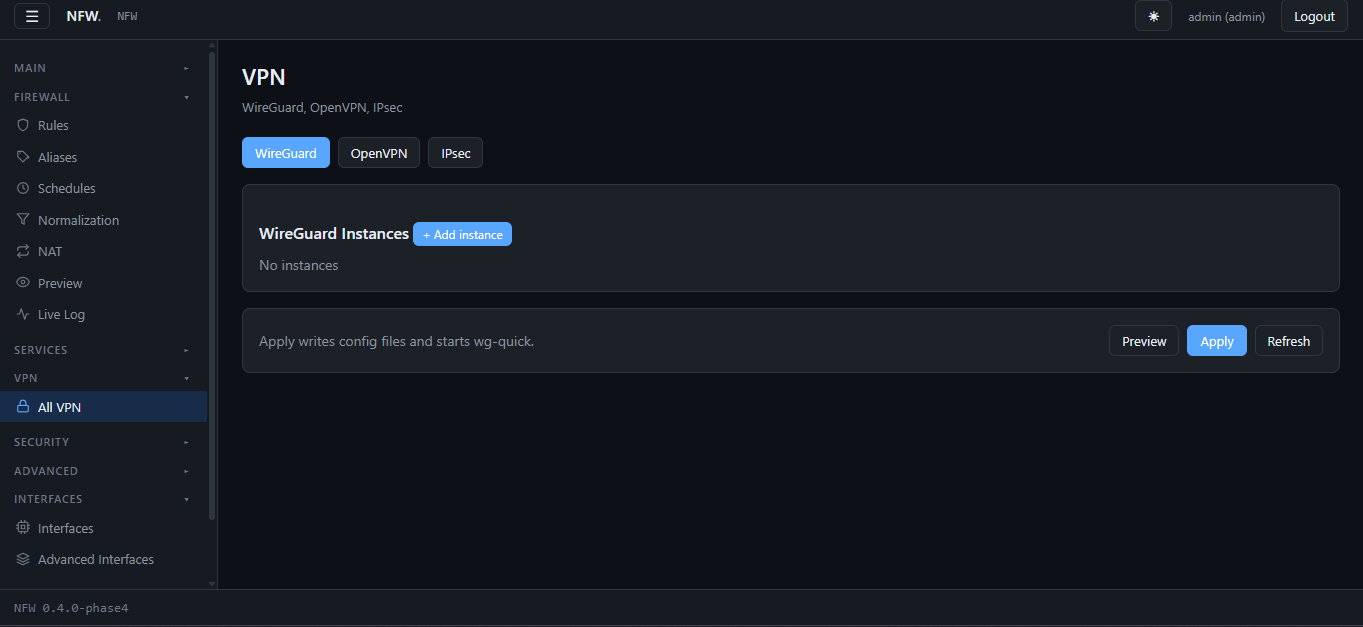
One of the nicer features. Let’s trace a blocklist request from config to enforcement.
Input config
1
2
3
4
5
6
7
8
9
10
11
12
{
  "blocklists": {
    "enabled": true,
    "mode": "nxdomain",
    "manual": ["ads.example.com"],
    "whitelist": ["mysite.example.com"],
    "sources": [
      {"id": "stevenblack", "url": "https://...", "enabled": true},
      {"id": "oisd-basic",   "url": "https://small.oisd.nl/", "enabled": true}
    ]
  }
}
Pipeline
1
2
3
4
5
6
7
8
9
10
11
12
13
14
15
16
17
18
19
20
21
22
  1. Download each source
       │
       ▼
  2. Parse per line — auto-detect format:
       "0.0.0.0 ads.example.com"    →  ads.example.com
       "||ads.example.com^"          →  ads.example.com
       "ads.example.com"             →  ads.example.com
       │
       ▼
  3. Strip sink-IP prefixes, reject pure IPv4,
     reject localhost pseudo-domains
       │
       ▼
  4. Merge: (manual ∪ downloaded) − whitelist
       │
       ▼
  5. Write /etc/unbound/nfw-blocklist.conf:
       local-zone: "ads.example.com." always_nxdomain
       ...
       │
       ▼
  6. unbound-control reload
Parser edge case
StevenBlack’s hosts file has entries like:
1
0.0.0.0.creative.hpyrdr.com
Note: no whitespace between the sink IP and the domain. It’s malformed
— probably a mechanical transform that went wrong at some point in
their pipeline. A naive hosts-file parser treats the whole string as a
domain, and the blocklist ends up full of entries like
0.0.0.0.creative.hpyrdr.com that will never match a real DNS query.
Fix:
1
2
3
4
5
6
7
8
9
10
11
12
13
14
15
16
17
_SINK_PREFIXES = ("0.0.0.0.", "127.0.0.1.", "::1.", "::0.", "::.")

def _normalize(domain):
    domain = domain.strip().rstrip(".").lower()
    changed = True
    while changed:
        changed = False
        for pref in _SINK_PREFIXES:
            if domain.startswith(pref):
                domain = domain[len(pref):]
                changed = True
                break
    if not domain or domain in _LOCAL_NAMES:
        return None
    if _RE_IPV4_ONLY.match(domain):
        return None
    return domain
The resulting blocklist for StevenBlack went from “75k entries, some useless” to “74,758 clean entries.”
Why NXDOMAIN and not 0.0.0.0?
Two reasons:
- Semantics. NXDOMAIN means “this name doesn’t exist.”
0.0.0.0means “this name exists at the reserved unspecified address.” Clients caching0.0.0.0see a broken answer, not a blocked one. - Latency. With NXDOMAIN, Unbound answers from a local zone — no
upstream query. Same with
0.0.0.0, but on some resolver implementations a hosts-file0.0.0.0entry still triggers a lookup.
Size management
The generated include file for our default sources:
1
2
$ wc -l /etc/unbound/nfw-blocklist.conf
202723 /etc/unbound/nfw-blocklist.conf
That’s after deduplication across four sources. It’s 4 MB on disk. Unbound loads it once at startup and keeps it in memory — no per-query cost.
The alternative (inline local-zone: entries in the main
unbound.conf) would force a full rewrite of the config store on every
blocklist update, and inflate every revision JSON by 4 MB. That’s why we
use include:.
Diagnostics & Operations
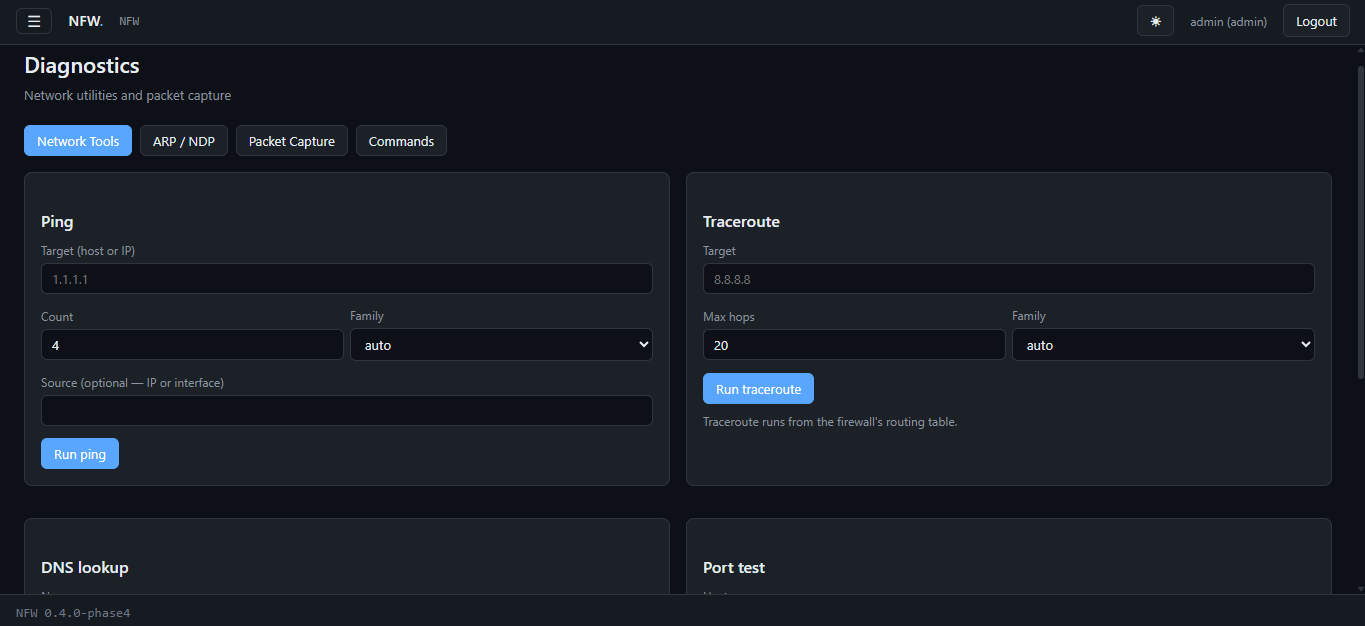
Under the hood, most diagnostics are simple shell-outs:
Tool Command
———————————– —————————————–
Ping ping -c N -W 2 <target>
Traceroute traceroute -n -w 2 -q 1 -m N <target>
DNS lookup dig @<server> <name> <type>
Port test nc -zv -w 3 <host> <port>
Packet capture tcpdump -i <iface> -w - <filter>
streamed to a file
—————————————————————————–
Every action is wrapped with a _run() helper that returns
{rc, stdout, stderr} and a hard timeout. The FRR (FastAPI) route
proxies to configd, which proxies to the shell.
The live log viewer is a step up: it uses journalctl -k -f on the
server side, keeps a 5000-entry ring buffer, and pushes updates over a
WebSocket.
Installation
1
curl -fsSL https://raw.githubusercontent.com/Moonmaker5420/NFW/main/install.sh | sudo bash
Interactive prompts for WAN, LAN, LAN IP, hostname, admin password. Sensible defaults based on detected interfaces.
For automation:
1
2
3
4
5
6
7
sudo NFW_WAN_IFACE=ens33 \
     NFW_LAN_IFACE=ens37 \
     NFW_LAN_IP=192.168.10.1/24 \
     NFW_HOSTNAME=nfw \
     NFW_ADMIN_PW=changeme \
     NFW_NONINTERACTIVE=1 \
     bash install.sh
Total time: ~90 seconds on a modern box. Installs nftables,
unbound, chrony, freeradius, suricata, haproxy, squid,
miniupnpd, softflowd, strongswan, plus Python wheels bundled
offline.
The Fresh-Install Sweep
Here’s what we learned building this: every bug we found in production was a fresh-install bug.
The code worked on the dev machine. It worked after a git pull. It
failed on every clean install, in different ways, and each failure
taught us something about what we’d assumed.
Some things we found in a single session:
- 6 external binaries the installer didn’t install (
qrencode,certbot,traceroute,etherwake,wakeonlan,isc-dhcp-client) - 6 services that wouldn’t survive a reboot because
systemctl enablewas silently failing under the sandbox - 2
@actiondecorators on the wrong function — the GUI called a private helper that returnedNone - 4 DHCP bugs from the same root cause (empty-vs-not-loaded ambiguity)
- 1 timezone that the wizard stored but never applied
- 1 modal that scrolled off the top of the screen when the form was long
The pattern was identical every time: the developer’s machine had
already satisfied the assumption. The /etc/hosts file was writable
because it was being edited outside the sandbox. The binaries were
present because they’d been installed manually during development. The
timezone was correct because someone had run timedatectl by hand.
None of those assumptions survived contact with a fresh VM.
The fix for the whole class isn’t a specific patch — it’s automating the sweep: write a script that curls every GUI page and every API endpoint on a fresh box, and reports non-200s. That’s the next thing on the roadmap.
Roadmap
Near-term - DHCP Kea migration (ISC dhcpd is EOL) - Firmware upgrade UI with Btrfs snapshots + rollback - Fresh-install test script
Medium-term - Multi-WAN load balancing (fwmark + ip rule) - DNS-over-HTTPS support in Unbound - Live log click-through to rule editor
Longer-term - High availability (CARP-equivalent + conntrackd) - Dynamic routing (FRR: OSPF, BGP, RIP) - ISO installer
Getting Involved
The repo is at github.com/Moonmaker5420/NFW.
If you run it and find a bug — especially on a fresh install — please open an issue with the traceback and the output of:
1
2
3
sudo journalctl -u nfw-configd -n 60 --no-pager
sudo journalctl -u nfw-api     -n 60 --no-pager
sudo nft list ruleset
Almost every bug we’ve fixed started with someone pasting those three commands.
NFW is built by @Moonmaker5420. If you build something with it, tell me about it.