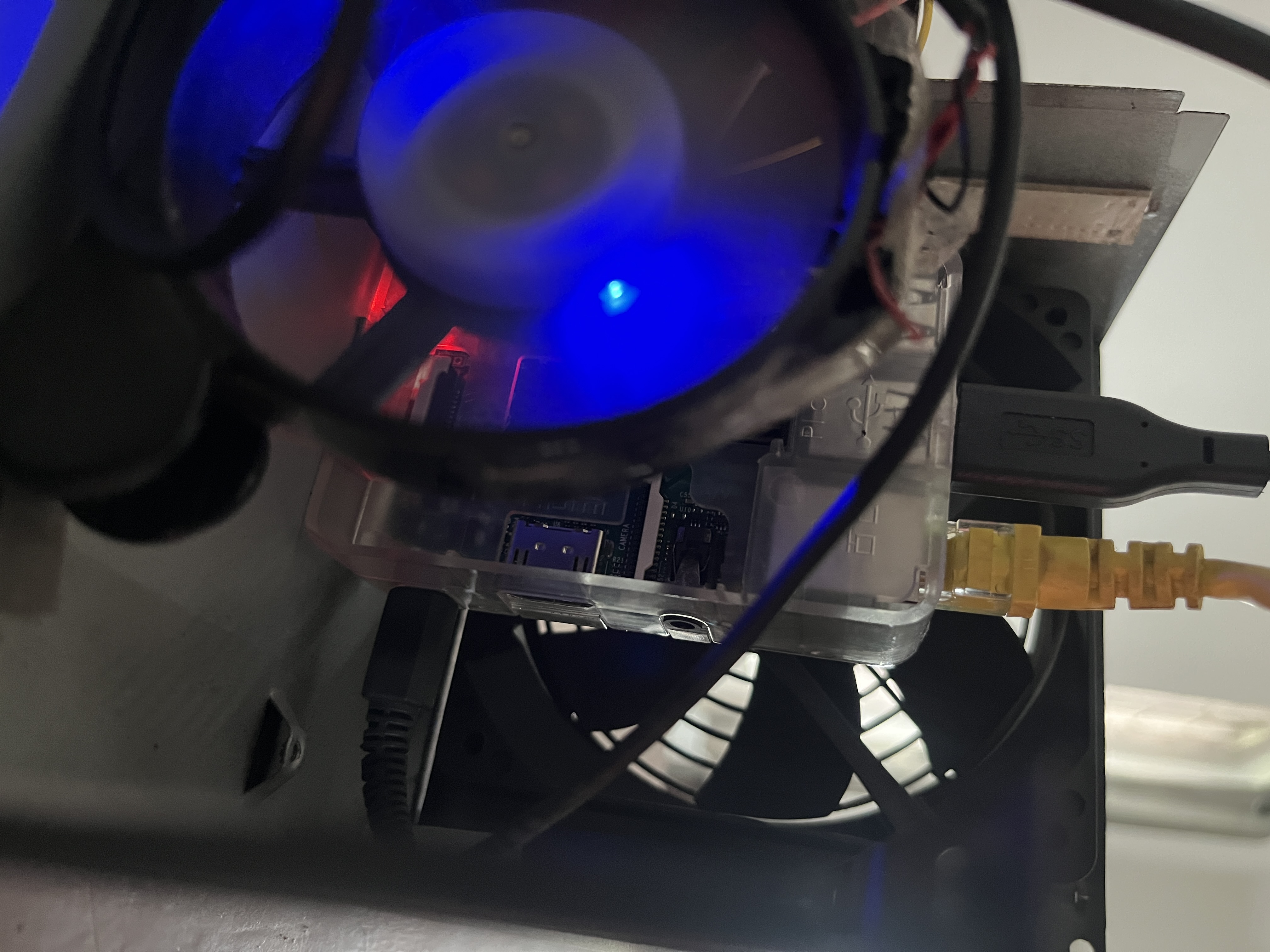
My Minimal Home-Server Setup
A Simple Guide About My Home Server Setup.

Disclamer: The Guide is purely based on my setup..
Initial Requirements
- Raspberry Pi (Mine 3B+)
- Memory Card 8GB
- Ethernet Cord
- L298N Driver
- DC Motor 12V Fan - Reusing My Old PSU
- Alternative Laptop/Pc
Basic Server Setup
Let’s start with setting-up OS for the server. Fireup your laptop and download the rasberry pi official Imager tool Download.
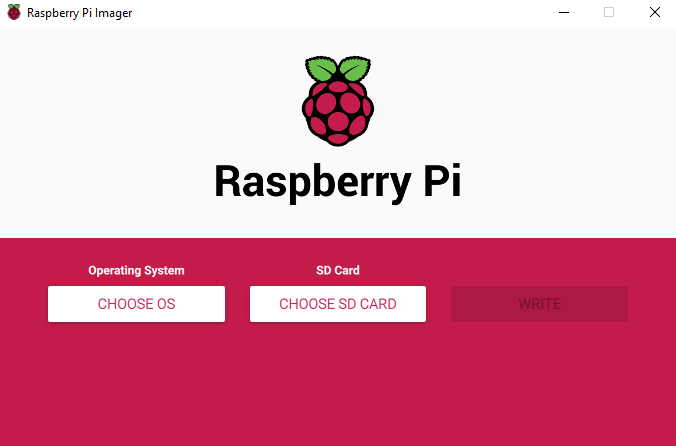
Once the flasher tool is ready. Flash the Raspberry Pi OS Lite to the sdcard/memorycard. Make sure to enable SSH, and set password for default user “pi” via Advance option. After flashing the OS Insert the sdcard to the rasberry pi, as I use LAN for my network rather than WiFi, I will be connecting my LAN cable to the RJ45 port and power on the rasberry.
Wait for around 10-15 seconds and we can proceed with connecting to it via SSH. For that we need to identify the IP of the rasberry pi, For that I will be using a Linux CLI tool callled netdiscover or you could login to the router admin panel and check for connected devices to the network.
1
sudo netdiscover -i eth0
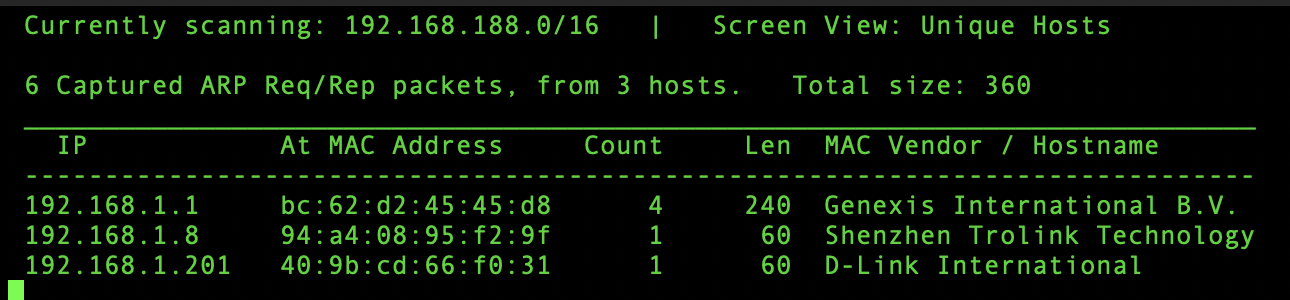
After we obtained the IP address. We can SSH into the server.
1
2
3
4
5
6
7
8
9
10
11
12
linus@lenovo:~ $ ssh pi@192.168.1.101

Linux raspberrypi 6.6.31+rpt-rpi-v7 #1 SMP Raspbian 1:6.6.31-1+rpt1 (2024-05-29) armv7l
The programs included with the Debian GNU/Linux system are free software;
the exact distribution terms for each program are described in the
individual files in /usr/share/doc/*/copyright.

Debian GNU/Linux comes with ABSOLUTELY NO WARRANTY, to the extent
permitted by applicable law.
Last login: Thu Dec 12 13:25:32 2024 from 192.168.1.9

pi@raspberrypi:~ $
Setting up DC Fan for Cooling - Re-purposing old PSU 😎
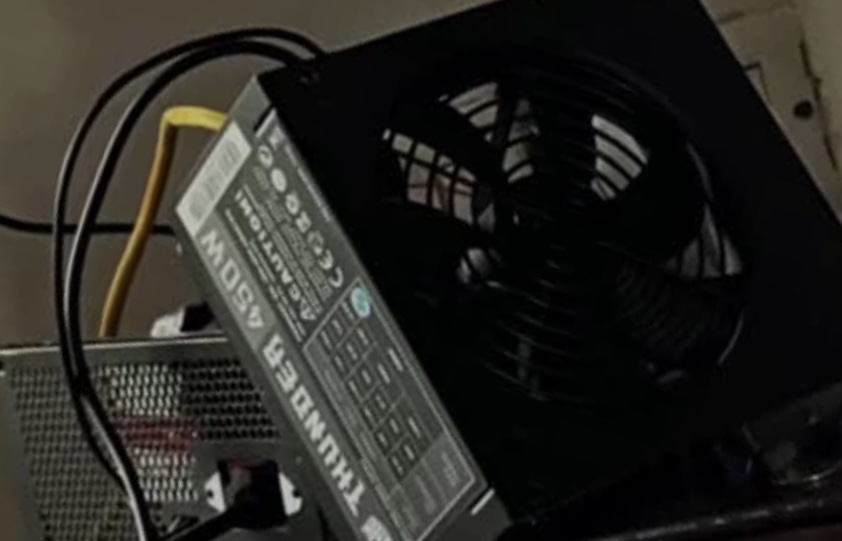
For us to use this Fan and regulate the speed using the GPIO pins we need a motor driver module L298N.
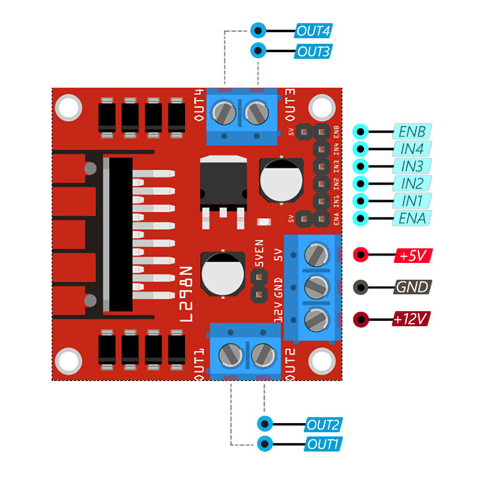
The connection diagram for connecting the L298N motor driver module with Raspberry pi GPIO pin and Fan is as follow:
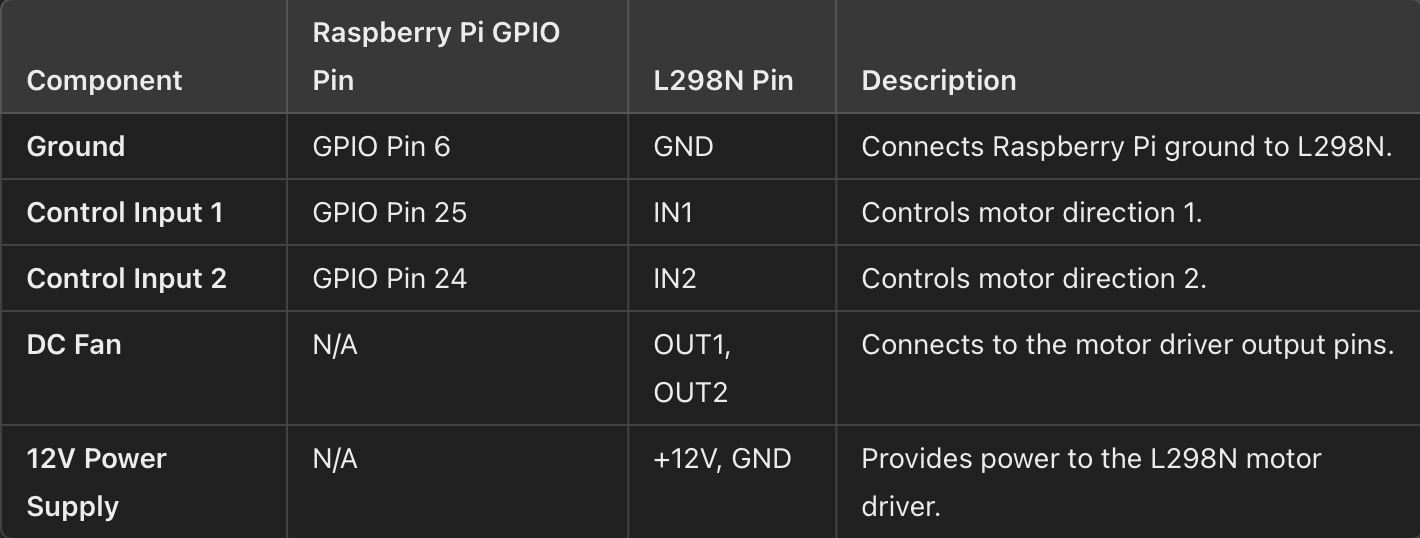
Once the connection part is done, We can proceed with writing a python script to turn on and off the fan at full speed when the temperature of the Raspberry Pi reaches 45 degree and keep running for 60 seconds and turns off. Also writes a fan_log with date and time showing when all the fan ran. (Not regulating the speed as I need the fan to run at full speed)
Python Script
1
2
3
4
5
6
7
8
9
10
11
12
13
14
15
16
17
18
19
20
21
22
23
24
25
26
27
28
29
30
31
32
33
34
35
36
37
38
39
40
41
42
43
44
45
46
47
48
49
50
51
52
53
54
55
56
57
58
59
60
61
62
63
64
65
66
67
68
69
70
71
import RPi.GPIO as GPIO
from time import sleep, time, strftime
import subprocess

# Pin Definitions
in1 = 24
en = 25
log_file = "/home/pi/fan_log.txt"  # Path to the log file

# Setup GPIO
GPIO.setmode(GPIO.BCM)
GPIO.setup(in1, GPIO.OUT)
GPIO.setup(en, GPIO.OUT)
GPIO.output(in1, GPIO.LOW)
p = GPIO.PWM(en, 1000)
p.start(0)  # Start PWM with 0 duty cycle (fan off initially)

def log_fan_start_time():
    with open(log_file, "a") as file:
        start_time = strftime("%Y-%m-%d %H:%M:%S")
        file.write(f"Fan started at {start_time}\n")

def get_cpu_temperature():
    try:
        output = subprocess.check_output(["vcgencmd", "measure_temp"])
        temp_str = output.decode("UTF-8").strip().split("=")[1].split("'")[0]
        return float(temp_str)
    except Exception as e:
        #print(f"Error reading temperature: {e}")
        return None

def control_fan(temperature, threshold=45):
    if temperature is not None:
        if temperature >= threshold:
            GPIO.output(in1, GPIO.HIGH)  # Turn on the fan
            p.ChangeDutyCycle(100)  # Full speed
            log_fan_start_time()  # Log the start time
            #print(f"Temperature is {temperature}°C. Fan is ON.")
            return time()  # Return the current time when the fan is turned on
        else:
            GPIO.output(in1, GPIO.LOW)  # Turn off the fan
            p.ChangeDutyCycle(0)  # Fan off
            #print(f"Temperature is {temperature}°C. Fan is OFF.")
            return None

try:
    fan_on_time = None
    while True:
        temp = get_cpu_temperature()
        if fan_on_time:
            # Check if 3 minutes have passed
            if time() - fan_on_time >= 60:
                GPIO.output(in1, GPIO.LOW)  # Turn off the fan
                p.ChangeDutyCycle(0)  # Fan off
                fan_on_time = None  # Reset the fan_on_time
            else:
                # Continue running the fan
                pass
        else:
            # If fan is not running, control based on temperature
            fan_on_time = control_fan(temp)

        sleep(30)  # Check temperature every 30 seconds

except KeyboardInterrupt:
    GPIO.cleanup()
    #print("Script interrupted and GPIO cleaned up.")
except Exception as e:
    GPIO.cleanup()
    #print(f"An error occurred: {e}")
Now lets make this script run in the background so that it can run whenever the temperature reaches 45 degree. I will be using tmux for making the script run in background.
The following command opens a new tmux window with following name “fan-control”
1
pi@raspberrypi:~/scripts $ tmux new -s fan-control
From the tmux window, We will run the python script.
1
pi@raspberrypi:~/scripts $ python fan.py
To exit the tmux window press ctrl + b + d . This will keep the program running in the background until system reboot.